
Turn a sequence of observations into visit intervals with species and presence fields.
Input and workflow
Run the same questions on each timestamped frame. Merge consecutive observations of one species, allowing a configurable gap between frames.
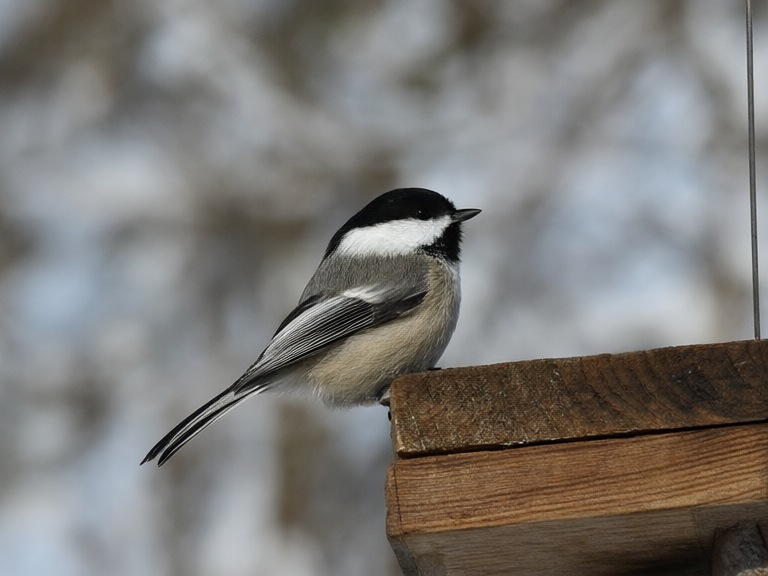
<feeder> · Photo by Mike Carlo/USFWS, public domain. Download input image- Sample framesKeep a timestamp with each image sent to ngila-judge.
- Classify each visitCheck for a bird before reading the predicted species.
- Build a visit logCombine consecutive frames of the same species within the configured gap.
Request
{
  "model": "ngila-judge",
  "state": {
    "frame_id": 17,
    "frame": "<feeder>"
  },
  "questions": {
    "visitor": {
      "type": "noul",
      "instructions": "Is a bird present at the feeder?"
    },
    "species": {
      "type": "choice",
      "instructions": "Which bird does the evidence identify?",
      "criteria": {
        "chickadee": "",
        "finch": "",
        "unidentified": ""
      }
    },
    "bird_region": {
      "type": "box",
      "instructions": "Locate the bird in <feeder>."
    }
  },
  "assets": {
    "<feeder>": {
      "type": "image",
      "format": "jpg",
      "data_base64": "<base64-encoded JPEG>"
    }
  }
}Run locally
Save ngila.py alongside your script and set NGILA_API_KEY. Save any linked input images in the same directory.
import base64
import json
from pathlib import Path
from ngila import NgilaClient

state = {'frame_id': 17, 'frame': '<feeder>'}
questions = {'visitor': {'type': 'noul',
             'instructions': 'Is a bird present at the feeder?'},
 'species': {'type': 'choice',
             'instructions': 'Which bird does the evidence identify?',
             'criteria': {'chickadee': '', 'finch': '', 'unidentified': ''}},
 'bird_region': {'type': 'box', 'instructions': 'Locate the bird in <feeder>.'}}
files = {'<feeder>': 'docs_feeder.jpg'}
assets = {
    ref: {
        "type": "image",
        "format": "jpg",
        "data_base64": base64.b64encode(Path(filename).read_bytes()).decode("ascii"),
    }
    for ref, filename in files.items()
}

response = NgilaClient().system_one(state, questions, assets=assets)
a = response["answers"]
print(json.dumps(a, indent=2, ensure_ascii=False))
Use the answers
The following application fragment uses a = response["answers"]. Supply any thresholds, lookup tables, or previous results from your workflow before applying it.
event = (frame_id, a["species"]["choice"]) if a["visitor"]["noul"] >= threshold else None